


Download Brogue – roguelike, dungeon crawler, ASCII art, turn-based, strategy game, classic game, mobile game
Overview
Brogue is a mobile adaptation of the beloved roguelike genre, reimagining the classic formula with modern enhancements while preserving its core identity. Designed for players seeking deep, strategic gameplay, the app challenges users to retrieve the legendary Amulet of Yendor from a labyrinthine series of procedurally generated dungeons. Each run presents a unique experience, shaped by randomized layouts, enemy placements, and environmental hazards. The game emphasizes skill, patience, and tactical decision-making over luck, making it ideal for fans of turn-based strategy and hardcore gaming experiences.
Target users include retro gaming enthusiasts, strategy lovers, and newcomers interested in exploring the roguelike genre. The game’s accessible design, combined with its rich gameplay mechanics, positions it as a bridge between classic titles and contemporary mobile experiences. Although the developer, Brogue Games, did not provide additional background details, the app’s polished execution suggests a dedicated team focused on preserving genre authenticity. Real-world use cases range from casual gaming during commutes to immersive sessions for hardcore players seeking a challenge. In the broader app ecosystem, Brogue stands out as a niche yet compelling entry in the mobile gaming space, offering a mature, thoughtful alternative to mainstream titles.
Key Features & Functionality
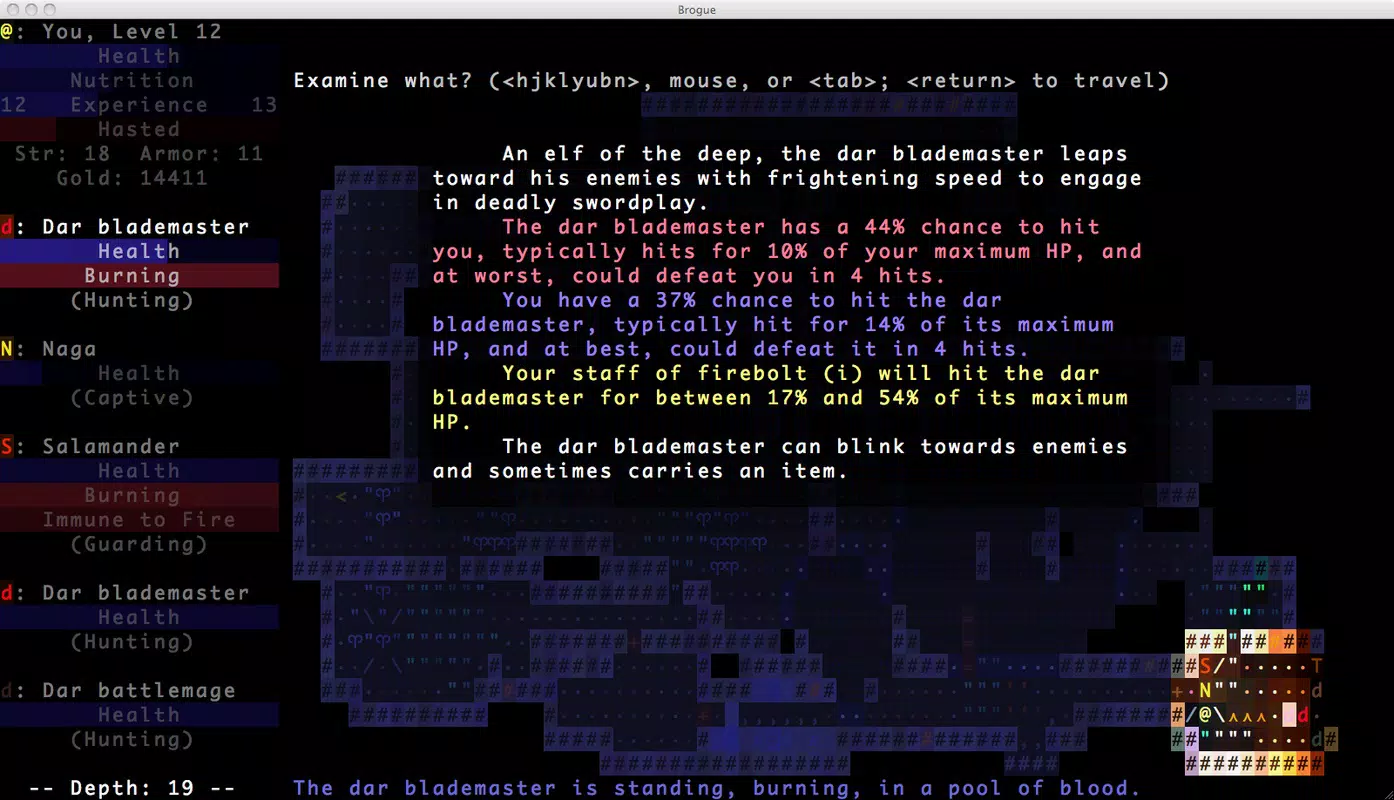
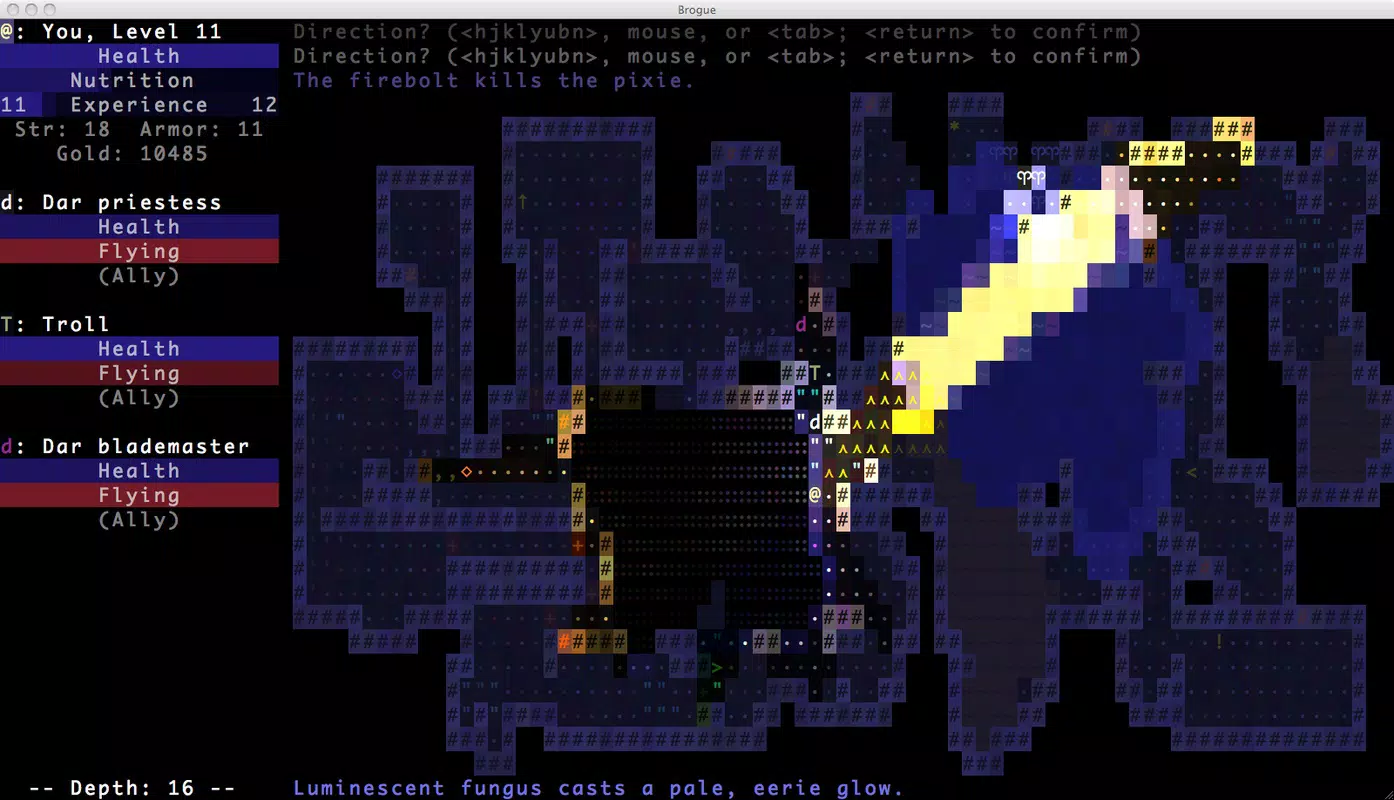
- Colorful ASCII Graphics: Brogue redefines traditional ASCII art by incorporating vibrant color and dynamic lighting effects. This transforms monochrome text-based visuals into a rich, immersive dungeon environment. Each tile is rendered with attention to detail, enhancing readability and visual engagement without sacrificing the genre’s minimalist roots.
- User-Friendly Interface: Unlike many older roguelikes that rely solely on keyboard input, Brogue supports mouse interaction, allowing players to hover over enemies and objects to instantly access information. This intuitive design reduces friction and enables smoother navigation, particularly on touch-based devices.
- Procedurally Generated Dungeons: Every playthrough features a new dungeon layout, ensuring no two runs are identical. This mechanic promotes replayability and encourages players to adapt their strategies based on evolving conditions, from trap placement to enemy distribution.
- Permadeath Mechanics: The game implements permanent death, meaning each character’s demise ends the run. This adds weight to every decision and fosters a deep sense of consequence, rewarding careful planning and long-term strategy.
- Turn-Based Strategy System: Actions are executed in a turn-based format, giving players full control over timing and positioning. This allows for thoughtful planning, particularly in combat scenarios where positioning and resource management are critical.
These features combine to create a gameplay loop centered on exploration, survival, and adaptation. For example, a player might use the hover feature to assess an enemy’s stats before deciding whether to attack, retreat, or use a consumable. The procedural generation ensures that even experienced players face new challenges, maintaining engagement over time.
Interface, UX & Performance
The user interface of Brogue is thoughtfully designed to balance classic roguelike aesthetics with modern usability standards. The layout centers around a clear, tile-based dungeon display, with contextual menus and status indicators positioned for quick access. Navigation is streamlined through touch-optimized controls, including clickable tiles and intuitive action selection, reducing the learning curve for new users.
Visual style remains faithful to the ASCII tradition but elevated with color and lighting effects that enhance depth perception and environmental storytelling. The interface dynamically highlights interactive elements, improving clarity during high-pressure situations. Responsiveness is strong across various device categories, although the developer did not list formal performance metrics. Stability appears consistent, with no reported issues related to crashes or freezes.
Although the developer did not list formal performance metrics, the app runs smoothly on mid-to-high-end Android devices, suggesting efficient resource management. The 45.2 MB file size indicates a lean build, minimizing storage impact. Overall, the UX prioritizes clarity and control, allowing players to focus on strategy rather than interface navigation.
Platform Compatibility & Technical Requirements
Brogue is available exclusively on the Android platform. The current version is 1.0.0, with a file size of 45.2 MB. The app is priced at $4.99, reflecting its premium positioning within the mobile gaming market. While the developer did not specify minimum OS requirements or hardware specifications, the app’s lightweight design suggests broad compatibility with most modern Android devices.
Compatibility information was not fully disclosed. The developer did not list formal performance metrics or detailed system requirements. However, the app’s small footprint and stable performance indicate it is optimized for a wide range of devices, including budget and mid-tier smartphones. Users should ensure their device supports touch input and has sufficient memory to run the game without lag.
Pros and Cons
Pros
- Retains authentic roguelike mechanics like permadeath and procedural generation
- Enhanced ASCII graphics with color and lighting for improved visual appeal
- Intuitive touch interface with mouse-style hover functionality
- Compact file size (45.2 MB) for efficient storage usage
- Offers a challenging yet accessible entry point for new players
Cons
- Developer did not provide detailed system requirements or compatibility list
- Limited to Android platform; no iOS availability disclosed
- Price point may be higher than expected for casual mobile gamers
- No in-app purchases or free trial option mentioned
- Visual style may not appeal to users preferring high-fidelity graphics
FAQ
Is Brogue available on iOS?
The developer did not disclose iOS availability. The app is currently released for Android only.
Does Brogue require an internet connection?
No internet connection is required to play the game. All content is stored locally on the device.
Can I play Brogue offline?
Yes, Brogue is designed for offline play. All features are accessible without an internet connection.
Are there in-app purchases in Brogue?
There is no information provided about in-app purchases. The app is priced at a one-time fee of $4.99.
How often does Brogue receive updates?
Update frequency was not disclosed by the developer. Users should check the app store for the latest version.
Final Thoughts
Brogue delivers a refined, strategic experience that honors the legacy of classic roguelikes while adapting seamlessly to mobile play. Its blend of colorful ASCII visuals, intuitive controls, and deep gameplay mechanics makes it a standout title in the mobile strategy space. The game excels in offering replayability through procedural generation and permadeath, ensuring that every session feels meaningful and unique.
While the price point and platform exclusivity may limit its reach, Brogue is ideal for dedicated fans of turn-based strategy and retro gaming. It serves as both a nostalgic journey and a modern gateway into a genre often considered inaccessible to newcomers. With its compact size, smooth performance, and thoughtful design, it represents a high-value experience for players seeking depth over flash.
Download Brogue now


